
Microsoft Outlook Outage: You May Be Missing Business Enquiries
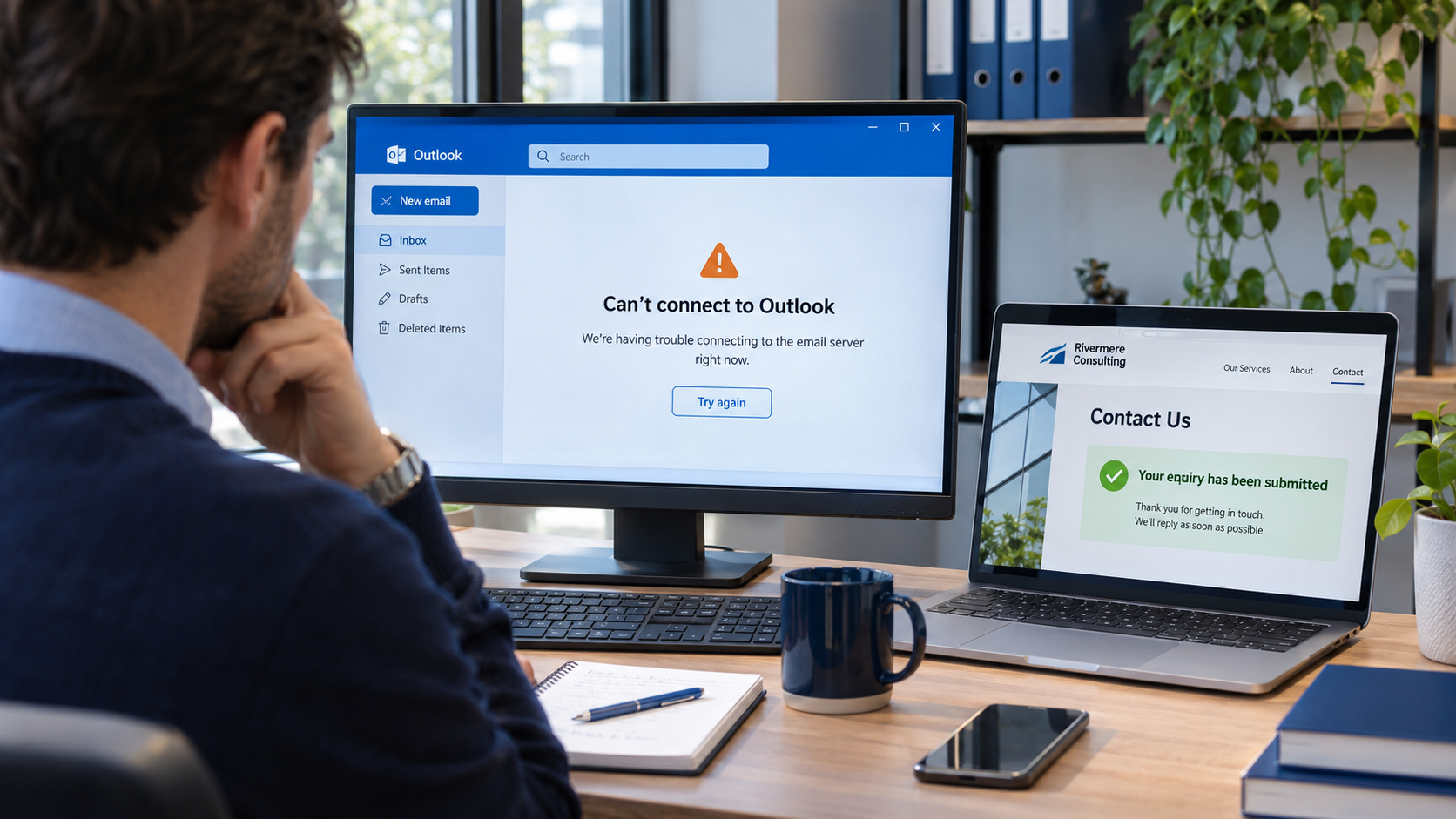
Your website remains online. Your advertising campaigns continue to run. A potential client fills out your contact form and sees a confirmation message.
However, the notification never reaches your inbox—or arrives hours later.
For businesses that rely on email to receive enquiries, send quotations and coordinate work, an outage can interrupt sales even though the website stays online.
The Microsoft 365 disruption spanning 12–13 November 2026, which affected Outlook, Exchange Online, Teams and other services, reminds us how tightly our daily business tools are linked. Reports described trouble accessing mailboxes and delays in email delivery, with recovery continuing into 13 November.
The practical question for your business is simple: if your email stops working, what else remains functional—and how will you know what you missed?
What happened to Outlook?
The disruption affected access to Microsoft’s cloud services, including the systems behind businesses’ email accounts. Users reported being unable to open mailboxes or communicate normally.
Microsoft’s updates indicated that servers had become unexpectedly unavailable, adding pressure to the remaining infrastructure. Recovery was difficult, with some servers becoming unresponsive again after traffic returned. These preliminary incident updates should be distinguished from a final explanation of the cause.
For the status affecting your organisation, your administrator should check Microsoft 365’s Health → Service health dashboard. Microsoft also provides a public status page when access to the admin centre is unavailable.
Does this mean your website is down too?
Not necessarily.
Your website, business email, contact forms, booking system and payment provider may run on different platforms. One can remain available while another experiences problems.
Think of a shop with its doors open but its telephone line disconnected. Customers can still walk in, but anyone trying to reach the business through that line may receive no response.
The same can happen online. A website can display correctly while an email notification, appointment confirmation or internal alert is delayed.
Even businesses using another email provider can experience communication delays when their clients or suppliers depend on an affected Microsoft service.
Where website enquiries can get lost
Consider a visitor who clicks your Google ad and requests a quotation.
What happens next depends on how your website was built:
| How the form works | What an email disruption could mean |
|---|---|
| The enquiry is saved in your website’s backend, then emailed to you. | You may still retrieve it from the backend while the notification is delayed. |
| The form only sends an email. | Whether the enquiry remains recoverable depends on the sending service, its logs and its retry arrangements. |
| The enquiry is saved in a CRM. | It may remain accessible if that CRM and its integration are operating independently. |
| The form requires an affected service to complete submission. | Visitors may encounter errors or be unable to submit. |
A confirmation message alone does not tell you where the enquiry has been stored.
This is something your webmaster should be able to explain. You should know whether an enquiry is recorded successfully before the website tells a visitor that their message has been received.
Why this matters when you are paying for advertising
An email outage can create a gap between generating interest and responding to it.
You might pay for a click, receive a genuine enquiry and still miss the opportunity because nobody sees the notification in time. Meanwhile, the prospective customer may contact another agency, contractor, supplier or service provider.
That does not mean every business should immediately pause its Google Ads or Meta Ads.
First, establish whether enquiries are still being captured and whether someone can access them through another route. If your team can retrieve submissions and respond by telephone, the campaign may still be useful. If the enquiry process is unavailable, continuing to send paid traffic to it deserves an urgent review.
The decision should follow what is actually working in your business.
What should you do during an email outage?
1. Check whether the problem is with the provider
Ask your IT contact to check the official service-health information before changing passwords, reinstalling applications or altering your domain settings.
A provider-wide disruption requires a different response from a problem affecting one mailbox or one computer.
2. Check enquiries directly in your website or CRM
If your system stores submissions, review those records rather than relying entirely on inbox notifications.
Check the time of each enquiry, assign someone to follow up and keep a record of who has been contacted.
3. Give customers another way to reach you
For urgent matters, a published telephone number or a business WhatsApp contact can help.
Use an established business channel and keep your usual confidentiality practices. An outage is not a reason to move sensitive client documents into an unsuitable personal account.
4. Monitor outgoing messages
A message waiting in an outbox should not be treated as delivered.
For important quotations, meeting arrangements or deadlines, confirm receipt through another available channel. Avoid repeatedly sending the same message without checking its status, as this can create duplicate communications later.
5. Reconcile everything after recovery
Once service returns, review outstanding enquiries, delayed notifications, failed messages and appointments that may need confirmation.
Restoring access to an inbox is only part of the recovery. Your business still needs to catch up on the work interrupted during the outage.
What should you ask your webmaster?
You do not need to understand the technical details to ask the right questions:
- Are contact-form submissions saved anywhere besides our email inbox?
- Can we retrieve enquiries if email notifications stop?
- Does the website only show success after the enquiry has been accepted and recorded?
- What happens if the notification email fails?
- Can someone check delivery failures and follow up?
- Do bookings, orders or password-reset messages depend on the same provider?
- What alternative contact method can customers use?
- Who checks for missed enquiries when service returns?
The answers should describe your actual setup. A general assurance that “everything is in the cloud” does not explain what happens when part of that cloud becomes unavailable.
Backups and continuity solve different problems
A backup helps you recover information. A continuity plan helps you keep operating while a service is unavailable.
You may have a recent website backup and still be unable to receive new enquiries. You may retain copies of older emails while being unable to send today’s quotation.
Both matter, but they serve different purposes.
A practical continuity plan identifies which activities are essential, who takes responsibility during an interruption and which alternative tools are available. It should be simple enough for your team to use under pressure.
How Meta-Labs can help
At Meta-Labs, we build websites and applications and provide ongoing maintenance, hosting and email-migration services. That puts us in a position to review the connections between your website and the tools your business depends on.
Depending on your setup and the agreed scope, we can help you:
- Review how your website captures and stores enquiries.
- Check contact forms and their notification arrangements.
- Assess connections with email services, CRMs and booking tools.
- Plan appropriate backups and recovery procedures.
- Improve alternative contact routes.
- Clarify maintenance responsibilities and incident follow-up.
We cannot restore Microsoft’s infrastructure or promise that an external provider will never experience another outage.
What we can do is help you understand your dependencies and reduce the chance that a delayed email becomes a missed business opportunity.
A working website is only part of a working business
A website does not operate in isolation. It connects customers to your team through forms, emails, bookings, payments and other services.
The Microsoft outage is a reason to look at those connections while the questions are fresh.
If your inbox became unavailable tomorrow, could you still find today’s enquiries? Would your team know where to look? Could customers reach you another way?
Speak to Meta-Labs about reviewing your website, email connections and maintenance arrangements, so your next enquiry has somewhere reliable to go.